

Get More From Splunk with Query Federated Search
Combine Splunk with Query Federated Search to Extend your Splunk Visibility Without Adding the Cost
Watch the three-minute demo
The Query Splunk App enables you to add any connected data source into Splunk – without increasing ingestion or compute expenses. Expand Splunk’s data reach with all the data you need, including from data lakes, warehouses, object storage, or any other connected source with security-relevant and observability data to support your Security Data Operations (SecDataOps) use cases, and more.
Splunk: Bigger & Better
What Query Adds To Your Splunk

More Data
The Query Federated Search for Splunk App allows security teams to add new data sources directly into Splunk’s search and existing dashboards without centralization, pipelining, or data storage.
Less Pivots & Workbenching
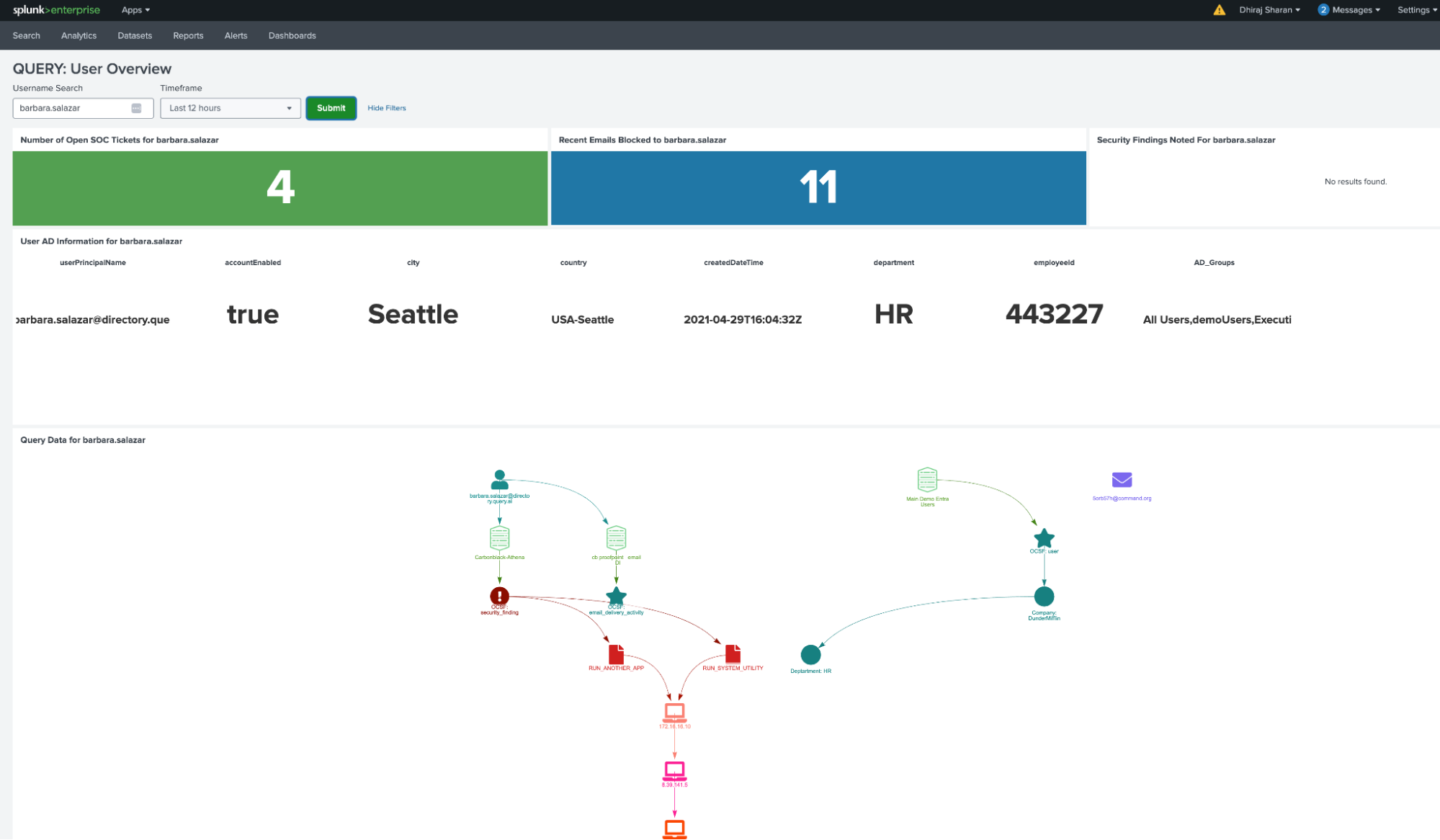
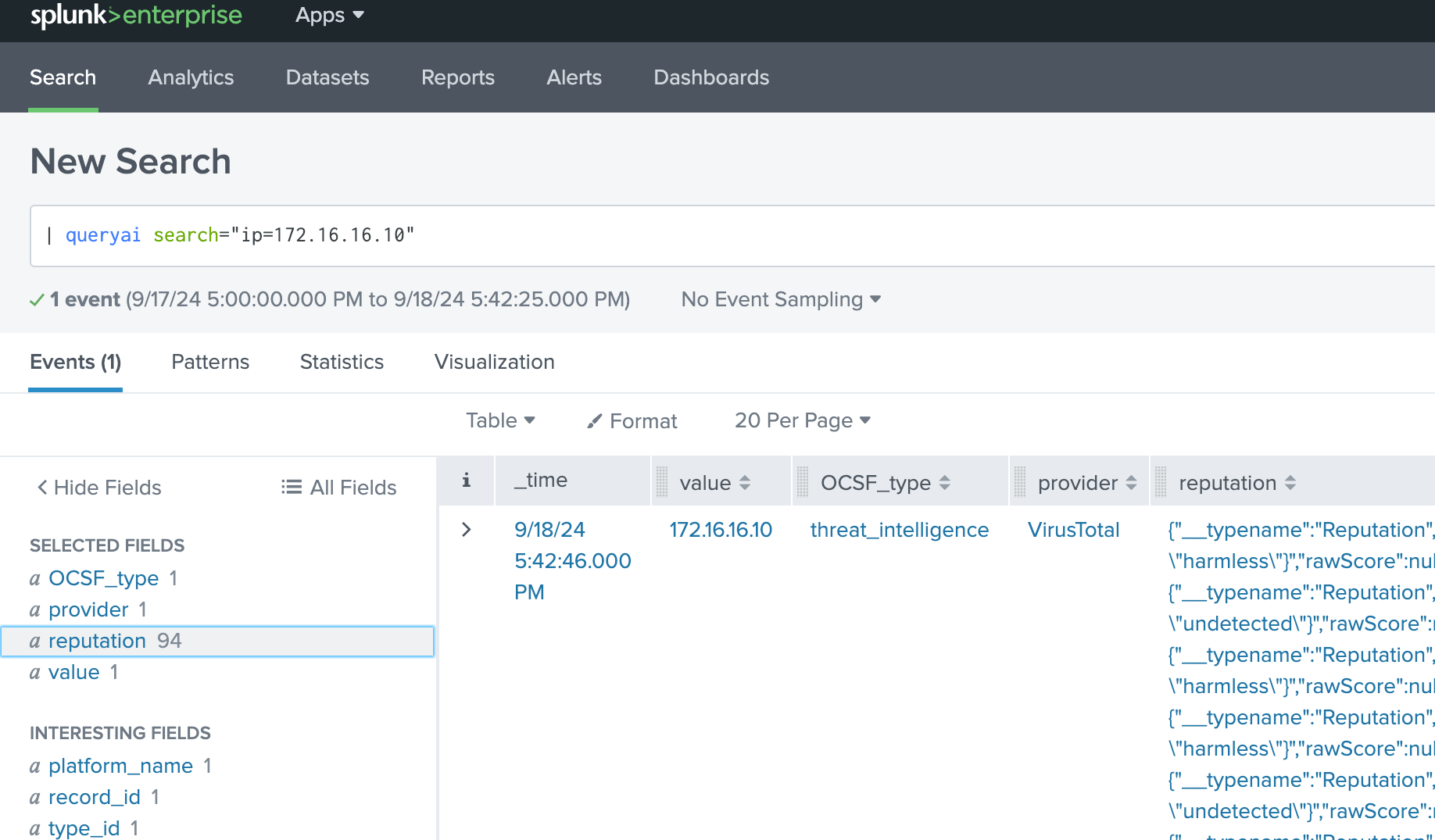
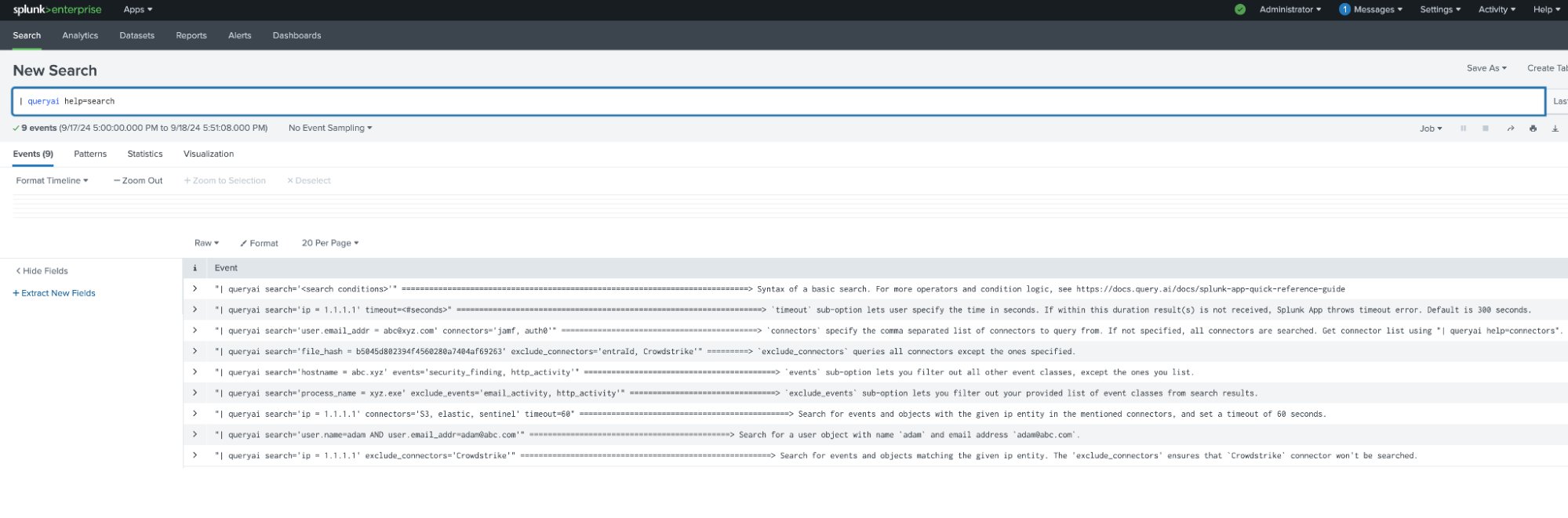
Splunk users can search directly from Splunk’s search bar or dashboards; one single, simple search command — automatically extracted and transformed into OCSF — making searching and using decentralized data to get answers simple and fast.
The Splunk You Know
Query Federated Search connects your distributed enterprise data easily using APIs and integrates your data into the Splunk® console without any indexing.
More Data Without More Cost
Query finds the right data, normalizes it, and puts it in front of you without moving, storing, or ingesting it so you don’t incur costs.
Connect Splunk to Anything
Query allows you to extend Splunk to any source connected to the Query Federated Search platform:
We provide a no-code schema mapping for dynamic sources. Whether you have custom application logs or vendor-specific security logs stored in databases, lakehouses, warehouses, and other SIEMs — we support mapping it easily.
(Check here for our Connectors.)

- Splunk-to-Splunk
- Splunk-to-AWS (Athena, Security Lake, CloudWatch)
- Splunk-to-Datadog
- Splunk-to-Microsoft (Defender 365, Sentinel, Log Analytics)
- Splunk-to-Crowdstrike (Falcon API & FDR)
- and more!…
Getting Started with Splunk + Query
In minutes, start adding new data sources to Splunk with Query
1
Download the App and
Set Up Your Account
Download the app from Splunkbase and define your Organization. Your first Organization is usually your company, but it could also represent a team or other group.
2
Connect your
Integrations
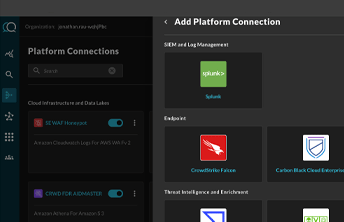
Set up Integrations, which are connections to data sources. You will need your access credentials, which could be URL, API keys, auth tokens, etc. Check out the available Integrations in the next section.
3
Perform your
first Query!
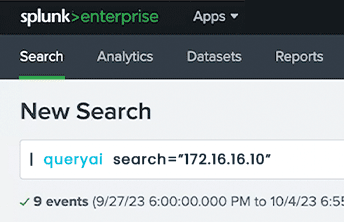
Start typing using natural language to instantly search across all of your connected integrations!
Industry Feedback
Fast, Reliable Connectors for Your Entire Security Stack
Pre-built API integrations deliver normalized, ready-to-use data from your SIEM, data lake, endpoint, network, identity tools and more, without the engineering overhead.

Connect All of Your Security Data
Connectors serve as the integration control plane between Query and the distributed sources that house your security-relevant data. They serve as a critical component in enabling a security data mesh architecture.
Static Connectors
Integrate with tools that have fixed schemas, giving you instant access to key data pre-mapped to the Query Data Model.
Dynamic Connectors
Connect to platforms and services with custom schemas and let you configure your own mappings for complete flexibility.
Query Connectors
This list is constantly growing, so please email product(@)query.ai if you don’t see your tech listed.